App Stores Tab
The App Stores tab is important to understand. Many of the things you can do with your app on the App Stores relies on this information and the App MetaData tab. Information on this page maybe different depending on your team member role. The account admin (account holder) will be able to see everything. Account resellers will also see different information at the top of the page describing the steps needed to be complete before submitting to the app stores.
The App Store page information is used to create your certificates for both IOS and Android. Each field has a description underneath. Some descriptions have links directly taking you to the page in your App Store account where you can get/enter in the information.
Add AppPresser to App Store Connect
If your Apple account is an organization, not an individual, please add [email protected] as an Admin or App Manager with certificate access. Click here for instructions. (If you have an individual account, skip this step)
The most important step on this page is to fill out the form for both iOS and Android. Then use the SAVE button to save information. The you'll click the request certificate setup button. That button will create a ticket for our support staff to review and generate your certificates.
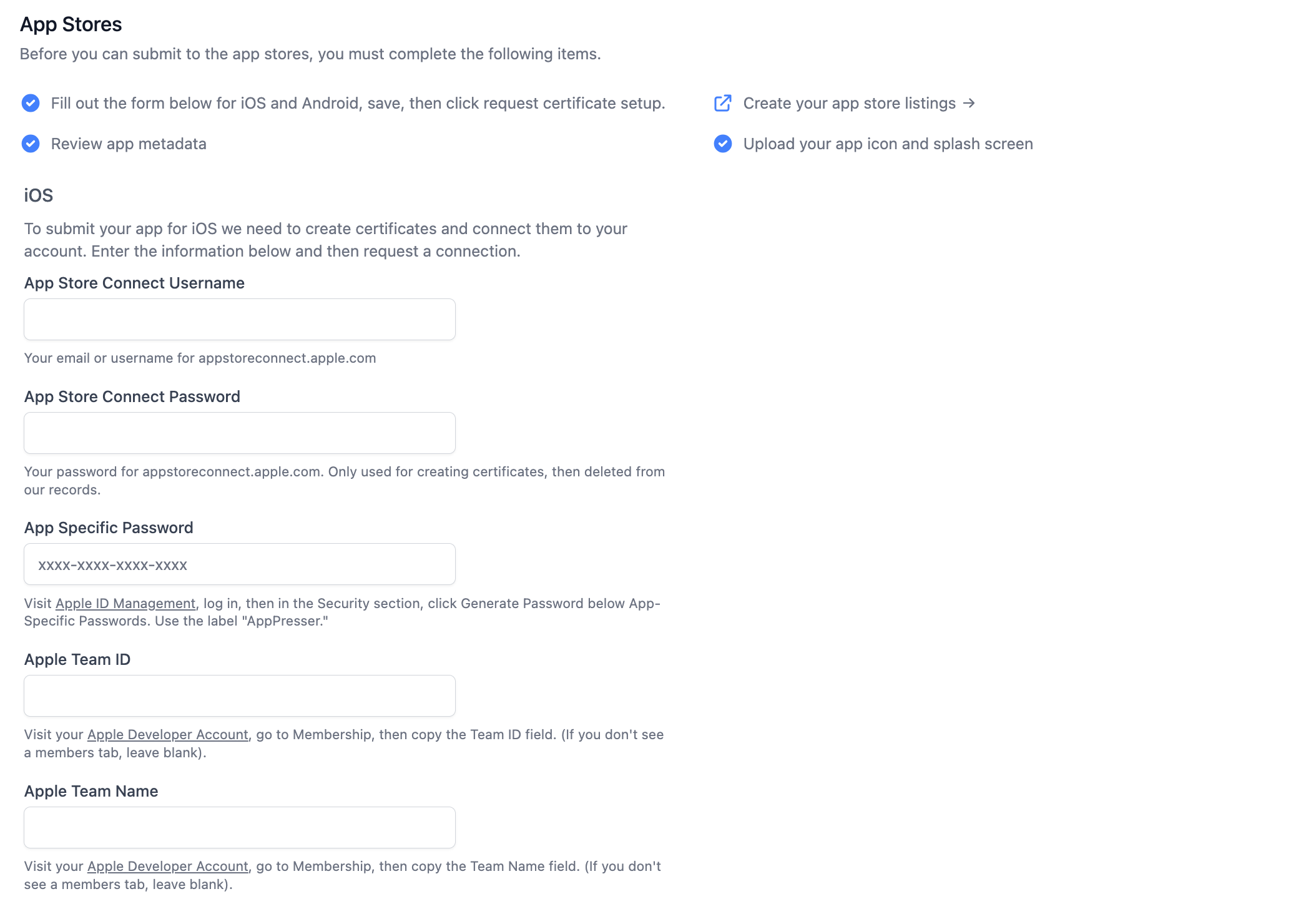
Links for IOS you should be familiar with:
https://appstoreconnect.apple.com
https://appleid.apple.com/account/home
https://developer.apple.com/account/
Links for Android you should be familiar with:
https://console.cloud.google.com/
https://play.google.com/console
https://console.firebase.google.com/
For IOS you'll need:
- App Store Connect Username
- App Store Connect Password
- App Specific Password
- Apple Team ID
- Apple Team Name